Run the workbench
Start pd dev and find your way around the workbench, the part of Pattern Dump where your components render, with their docs, themes and checks beside them.
A style guide on disk is a folder of templates and stylesheets. To see the components, you run the workbench: Pattern Dump's own interface, which pd dev runs on your machine while you work.
This step starts it, names its four regions and shows two of its pickers: themes and colour vision.
Start the workbench
In the project folder, run:
npm run dev
The dev script that pd init wrote runs pd dev. When it is ready, it prints where to open the site and the workbench:
[dev-server] SCSS compiled (dependency tracker ready)
[dev-server] Listening at http://127.0.0.1:4000
[dev-server] Website:   http://live.localhost:4000/
[dev-server] Workbench: http://pd.localhost:4000/
[dev-server] Search: the index is built by pd build, so the site's search finds nothing in pd dev
[dev-server] Ready in 230ms, 26 components
npm's own lines, printed first, are left out here. The last line counts the components pd dev found, variants not included: the starter's four (the button, the search field, its input and the example page) and the site's 22 (seven components, nine layouts, two partials and four views). With the starter's site, Pattern Dump also prints a line that starts [dev-server] FLATTENED: 2 cluster(s) across 5 components: some of the starter's layouts are copies of one template, and the line asks nothing of you.
Open the workbench at http://pd.localhost:4000/ in a browser. pd dev listens on 127.0.0.1 only, so only your own machine reaches it.
Ports
pd dev uses two ports: one for the workbench, and one for live reload, the connection that updates an open page. Each has a flag:
--port <n>- The workbench's port. Without the flag, the
PD_PORTenvironment variable, else4000. --ws-port <n>- The live-reload port. Without the flag, the
PD_WS_PORTenvironment variable, else the workbench's port plus 1.
Inside the project, npx pd runs the same command as the script, with flags of your own:
npx pd dev --port 4100
A flag takes a whole number from 0 to 65535. Port 0 takes any free port. Anything else stops pd dev with exit code 1, with the message [pd] Error: --port must be a port number (got "<value>") (with --ws-port for that flag) and the usage after it, where <value> is what you typed. The two environment variables are not checked this way.
When a port is taken
Before it binds its ports, pd dev checks the live-reload port first, then the workbench's, on 127.0.0.1 and on ::1. When a server answers on either, it stops with exit code 1, and no stack trace. Most often that server is another pd dev still running. With one already on the default ports, a second prints:
[pd] Port 4001 is already in use, so live reload cannot start. Another `pd dev` is probably still running: stop it, or start this one on other ports:
  pd dev --port 4100   (live reload then uses 4101)
When the workbench's port is the taken one, the message says so the workbench cannot start. The suggested port is the workbench's plus 100. When the taken port is a live-reload port you chose yourself, with --ws-port or PD_WS_PORT, the suggestion is pd dev --ws-port <a free port> instead.
Host names
pd dev answers only to its own host names, at its own port, in any case: localhost, 127.0.0.1 and pd.localhost. A request for any other name, or with none, gets 403 and Forbidden: this server answers only to its own host names. Live reload accepts a connection only from an http: page on one of those names at that port, or from a connection that names no origin.
With a site, as in this project, one pd dev runs both, told apart by host name:
http://live.localhost:4000/- The site.
site.hostin the config changes the name. http://pd.localhost:4000/- The workbench.
http://localhost:4000/,http://127.0.0.1:4000/- The workbench too.
The Search: line at startup comes with site search: the site's search finds pages once pd build has indexed them. A project without a site prints [dev-server] Workbench: http://localhost:<port>/ in place of the Website: and Workbench: lines, and live.localhost is not one of its names.
Find your way around
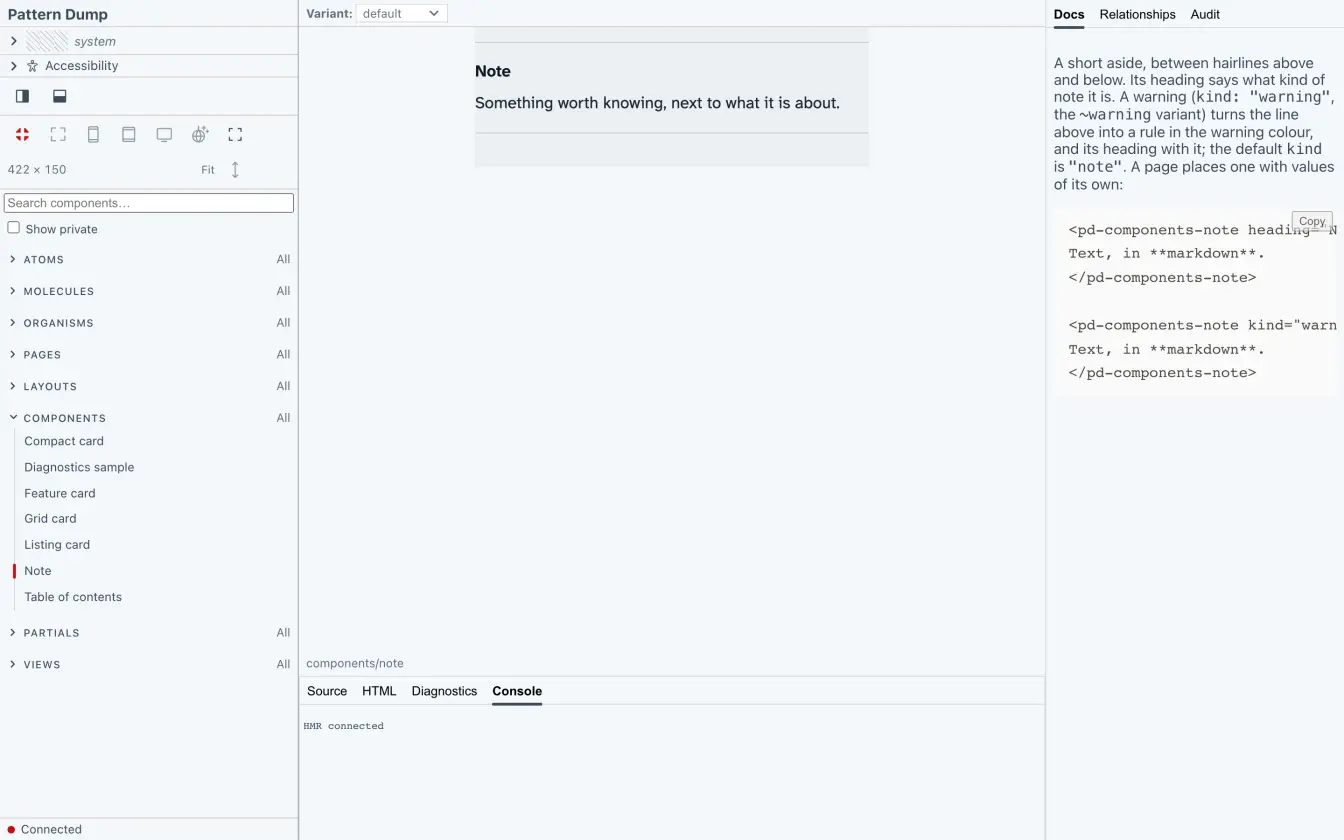
The workbench has four regions:
- Nav Rail
- Your style guide's title, from
shell.brand.titlein the config, and the tree of your components, folder by folder. Withshell.brand.logoset, the logo shows in place of the title. - It also holds the theme picker, Accessibility, and a status for the connection to
pd dev: "Connected" while it runs, "disconnected" when the connection drops. - Stage
- The preview of the component you select, or the gallery of a folder: its public components, each in a preview of its own.
- Inspector
- Three tabs. Docs shows the component's documentation, with live examples. Relationships shows what the component includes and what includes it. Audit holds the audit of every component and every variant, the same report
pd auditwrites. - Console
- The Diagnostics tab lists what Pattern Dump finds in the component on the Stage, the accessibility checks that need a browser included; those run only while the tab is open. Messages from
pd devshow in the Console too: a warning starts withWarning:, such as a data variant left out because it has no template to overlay, and an error is shown in red.
Switch themes
The theme picker switches the previews between your themes. The starter has two, light and dark, and light is the default, set by themes.default in the config. A theme applies to the preview on the Stage and to every preview in a folder's gallery.
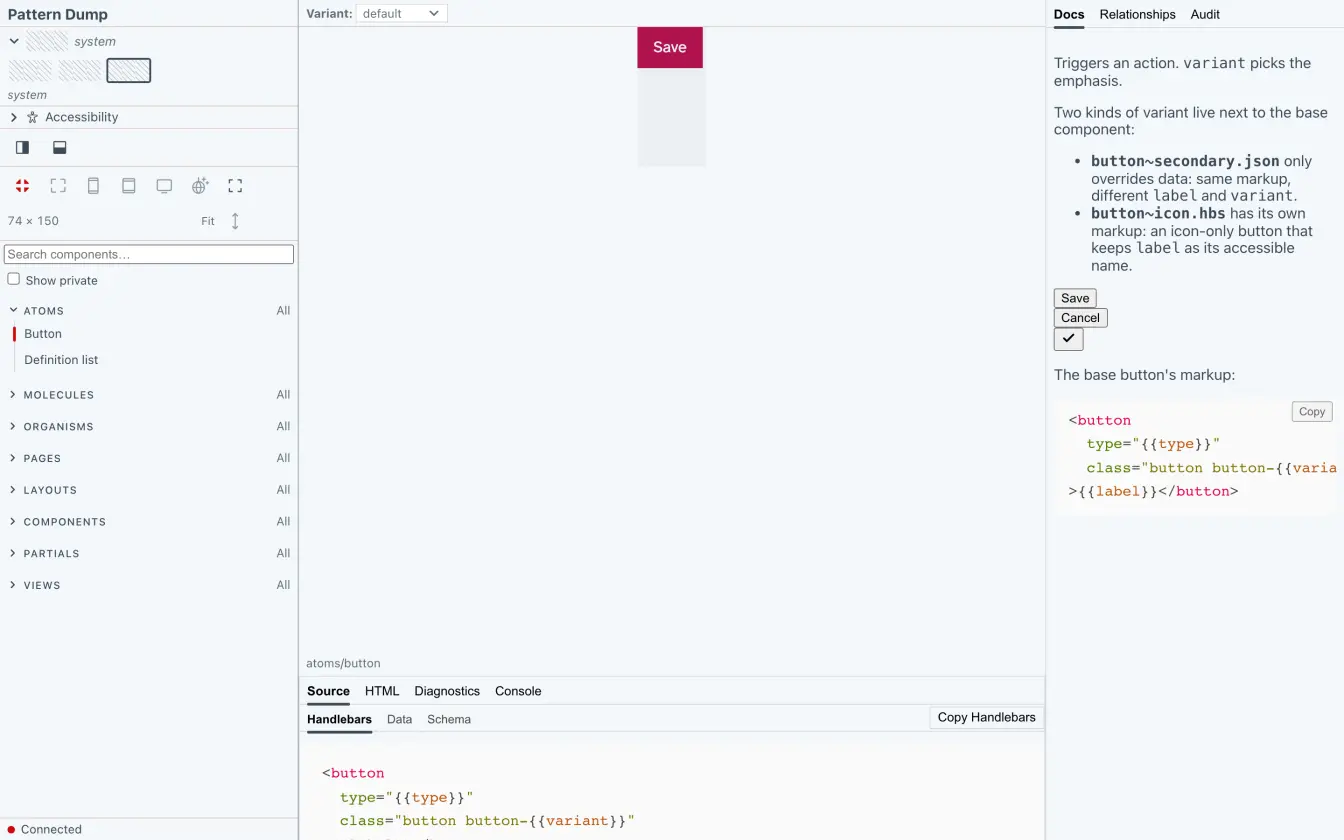
Each theme shows as a strip of swatches: the values of the custom properties that themes.swatch.slots names. The starter names --color-surface, --color-primary and --color-text.
The choice is stored in the browser's localStorage. Until you pick one, the project's default applies, and a later change of the default carries through. ?theme=<name> on a workbench address picks a theme once, when it names a known one: the theme is then stored, and the parameter is removed from the address. An unknown name stays in the address and changes nothing. With no theme at all, the picker reads "(no theme)". The themes reference has the details.
Simulate colour vision
Accessibility, in the Nav Rail, simulates colour-vision deficiencies on the preview on the Stage. Pick None, Protanopia, Deuteranopia, Tritanopia or Achromatopsia, then set the severity from 0 to 1, in steps of 0.01. The slider works once a type other than None is picked.
The simulation is a filter on the preview (an SVG feColorMatrix), so your markup and CSS stay as they are. The choice is kept in the workbench's address, as ?cvd=, so a link carries it, and the browser doesn't store it.
When to restart
Some changes are not taken while pd dev runs:
- The config
- A change to anything in
pattern-dump.config.tsbutsite.globalsprints[dev-server] <file> changed: restart pd dev to load it (only site.globals is taken without a restart)in the terminal, where<file>is the config file, and the workbench shows it as an error notice, without[dev-server]. A config that no longer loads leavespd devrunning with the config it has. - Pattern packages
- Installing, updating or adding one.
- Another file in a helper's folder
- The helper module itself reloads. Any other file in its folder, such as one it imports, asks for a restart.
Global data and helpers, when the config names them, reload while pd dev runs. When one fails to load, the last good version stays in use, and the terminal and the open pages say so. The configuration reference lists the config's messages.
Your workbench
The workbench runs at http://pd.localhost:4000/, with the starter's components and the site's in the Nav Rail, and the site at http://live.localhost:4000/. Next, add a component of your own and see it on the Stage.